Compare 8 RASP Tools for Mobile Apps, Servers, and Cloud
Compare 8 RASP Tools for Mobile Apps, Servers, and Cloud
Compare 8 RASP Tools for Mobile Apps, Servers, and Cloud
Compare RASP tools for mobile apps, servers, APIs, and cloud workloads. See which solutions fit runtime threats, deployment needs, and security controls.
Author
Team Bureau


See how Bureau has helped industry leaders defend against networked Industrial-scale frauds →
Schedule a Demo
TABLE OF CONTENTS
See Less
Attackers can exploit applications after deployment through code injection, tampering, compromised devices, session abuse, and manipulated network conditions. RASP tools give security teams visibility into these threats while the application is executing and can enforce controls before the activity causes damage.
With NIST reporting a 263% increase in CVE submissions between 2020 and 2025; security teams have far more vulnerabilities to prioritize and patch. RASP helps cover the resulting exposure during execution, including flaws awaiting remediation.
This comparison reviews the best RASP tools based on runtime coverage, deployment model, threat protection, response options, and application environment.
What Is a RASP Tool and How Does It Work?
RASP (Runtime Application Self-Protection) tools protect applications during execution by monitoring runtime behavior from within or around the application. They detect suspicious activity in context and can block exploits such as SQL injection, XSS, code injection, or runtime manipulation before the action completes.
RASP complements controls such as SAST (Static Application Security Testing), DAST (Dynamic Application Security Testing), and WAFs (Web Application Firewalls) by adding protection while the application is actively running.
Here is how RASP works once activity reaches a running application:
Activity enters the application: A request, API call, user action, or runtime change triggers application logic.
RASP observes what happens during execution: It tracks code paths, resource access, and changes to the application or runtime environment. For example, it may detect suspicious input reaching a database query or a rooted device.
The tool evaluates the risk in context: It looks for runtime manipulation, compromised environments, and session anomalies rather than relying on the original request alone.
A policy response is triggered: Based on the risk, RASP can monitor, warn, restrict, or block the activity. That could mean stopping a malicious database operation or blocking a compromised mobile session.
The event is recorded: Relevant runtime and session context is logged so security teams can see what triggered the response.
Simply put, RASP works by following activity as it moves through the running application, then deciding whether that activity should be allowed to continue.
The advantage of RASP is context, because it can see when an action becomes risky during execution and respond before it causes damage. The right tool depends on where that runtime risk exists within the application.
Top 8 RASP Security Tools Compared at a Glance
RASP security tools take different approaches to runtime protection. Some instrument server-side applications, while others focus on mobile app shielding, cloud-native controls, code protection, or security integrated with observability.
The biggest differences are where each tool operates, how protection is deployed, and the types of applications it is designed to secure.
Tool | Primary environment | Protection approach | Deployment model | Best fit |
Bureau | Android and iOS applications | App, device, runtime, and network protection | Protected mobile app binary with runtime policy controls | Mobile-first fintech, financial services, and gaming apps |
Contrast Protect | Server-side application runtimes | In-process runtime instrumentation | Application instrumentation within supported runtimes | Enterprise applications and APIs |
AccuKnox | Containers, Kubernetes, and multi-cloud workloads | Runtime controls and Zero Trust policies | Cloud-native agents and workload-level controls | Kubernetes and cloud-native environments |
PreEmptive | Desktop, web, server, and mobile codebases | Code hardening plus runtime checks | Build-time or post-build code transformation | Teams protecting .NET, Java, JavaScript, and Android code |
App and API Protection | Cloud and server-side applications | Runtime application security with observability context | Integrated with Datadog application monitoring and runtime instrumentation | Teams already using Datadog observability |
Dynatrace Application Security | Enterprise and cloud applications | Runtime protection with application context | Integrated with Dynatrace monitoring and application instrumentation | Existing Dynatrace customers |
Appdome | Android and iOS applications | Automated mobile app defense and shielding | Post-build mobile app protection | Mobile development and security teams |
Imperva RASP | Web and server applications | In-process application protection | Runtime agent or application integration | Existing Imperva RASP deployments |
The main takeaway is that RASP products are not interchangeable. A strong fit starts with the runtime being protected and the threats that can occur inside that environment.
Related Read: How to Choose the Right Fraud Prevention Software for E-Commerce Teams
How the Top RASP Tools Were Evaluated
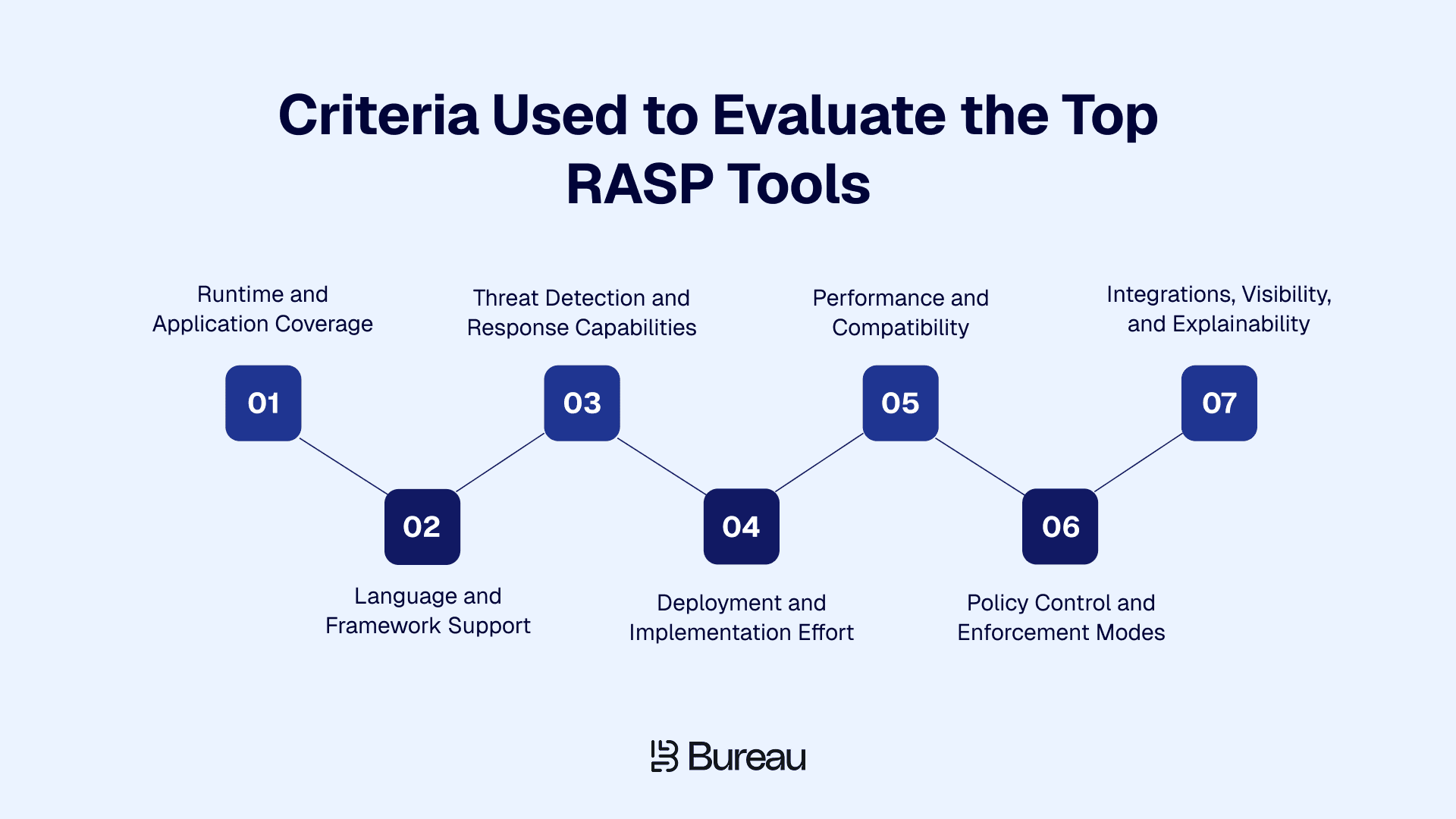
The tools were evaluated based on where they provide runtime protection, the threats they address, how they respond, and the effort required to deploy them.
Verizon’s 2026 DBIR found that exploiting vulnerabilities accounted for 31% of breaches, overtaking credential abuse as the leading initial access vector for the first time in the report’s history. This makes it important to assess what happens when an exploit reaches a running application, including whether a tool can detect the activity in context and block or restrict it.
The evaluation focused on:
Runtime and application coverage: What environments the tool can observe and protect, including web, server, API, mobile, container, desktop, device, and operating system contexts.
Threat and response capability: Which threats the tool can detect and whether it can monitor, warn, restrict, terminate, or block suspicious activity.
Deployment model: How protection is added through agents, SDKs, instrumentation, application wrapping, binary transformation, or cloud-native controls.
Language and framework support: Which runtimes, programming languages, frameworks, and platforms the tool supports.
Performance and implementation effort: The runtime overhead, code or build changes, engineering involvement, and ongoing tuning required.
Policy control and integrations: Whether teams can test policies before blocking, define responses by risk level, and connect the tool with SIEM, observability, DevSecOps, and incident-response workflows.
These criteria make it easier to compare runtime application self-protection tools without treating every RASP security vendor as if it solves the same problem.
8 Best RASP Tools and Solutions to Know in 2026
The tools in this list are ordered by protection approach and use-case fit rather than overall quality. That distinction matters because mobile RASP, server-side instrumentation, cloud-native runtime controls, and code-protection tools address different attack surfaces.
1. Bureau

Bureau provides mobile runtime protection for applications exposed to threats inside the app, device, session, or network environment. Its RASP capability is designed to detect and respond to risks that may not be visible to backend controls in time.
Bureau’s RASP applies runtime protection across application integrity, device trust, network state, and policy enforcement. This helps mobile teams detect and respond to device, app, session, network, and location-based threats while the application is running.
Key strengths:
Broader mobile runtime protection: Covers application integrity, device state, network conditions, and runtime threats instead of stopping at code obfuscation.
Device-aware threat detection: Identifies rooted devices, emulators, app cloning, and hooking frameworks, with device intelligence adding context around suspicious environments.
Network and location protection: Detects MITM attempts, proxy manipulation, VPN masking, and location spoofing before they affect sensitive mobile actions.
OS-level visibility: Uses operating-system signals to surface overlays, gesture abuse, virtualized environments, and runtime manipulation that application-level checks may miss.
Flexible enforcement controls: Teams can monitor, warn, or block threats by type and adjust policies through the dashboard without changing application code.
Deployment and integration fit:
Bureau RASP is designed for Android and iOS applications and extends protection into the running app across device, runtime, and network conditions.
Runtime signals and policy decisions can feed authentication, transaction controls, fraud operations, and Bureau’s broader risk decisioning stack.
Where it stands out:
Bureau’s approach combines application integrity checks with runtime, device, network, and response controls. It is especially useful for mobile apps facing emulators, app cloning, hooking, overlays, location spoofing, or compromised sessions.
What to consider:
Bureau is primarily positioned for mobile runtime protection, so teams looking for server-side Java or .NET instrumentation should compare platform coverage carefully.
Compatibility, policy behavior, and performance should be validated in the buyer’s own application environment before production rollout.
2. Contrast Protect
Contrast Protect is a server-side RASP solution that uses in-process instrumentation to observe application behavior during execution and block malicious activity with runtime context. It is designed for supported enterprise application stacks and APIs, with Contrast’s broader ADR direction extending runtime protection into SOC telemetry, investigation, and incident-response workflows.
Key strengths:
In-process runtime visibility: Contrast observes how suspicious input interacts with application code and sensitive functions, providing deeper context than perimeter-level traffic inspection.
Active protection against common exploits: Detects and blocks SQL injection, XSS, command injection, and related exploit activity while the application is still executing.
Application and API context: Links attack activity to relevant code paths, application behavior, and affected operations for more precise triage and investigation.
SOC workflow integration: Runtime findings can feed SIEM and security workflows, keeping application attack context connected to broader security operations.
Broader detection and response with ADR: Contrast ADR adds telemetry, investigation context, and incident-response workflows beyond runtime blocking alone.
Deployment and integration fit:
Contrast Protect instruments supported server-side runtimes, making language, framework, and deployment compatibility important before rollout.
Runtime findings can feed SIEM and SOC workflows, bringing application attack context into existing security operations.
Where it stands out:
Contrast Protect stands out for its ability to observe attacks from inside supported application runtimes. That application context can help teams understand whether suspicious input actually reaches a vulnerable operation and take action before the exploit completes.
What to consider:
Confirm current language and framework support, then test runtime overhead using production-representative workloads.
Customer feedback has noted that some attack types may fall outside Contrast Assess or Protect coverage, making threat-model validation important.
3. AccuKnox
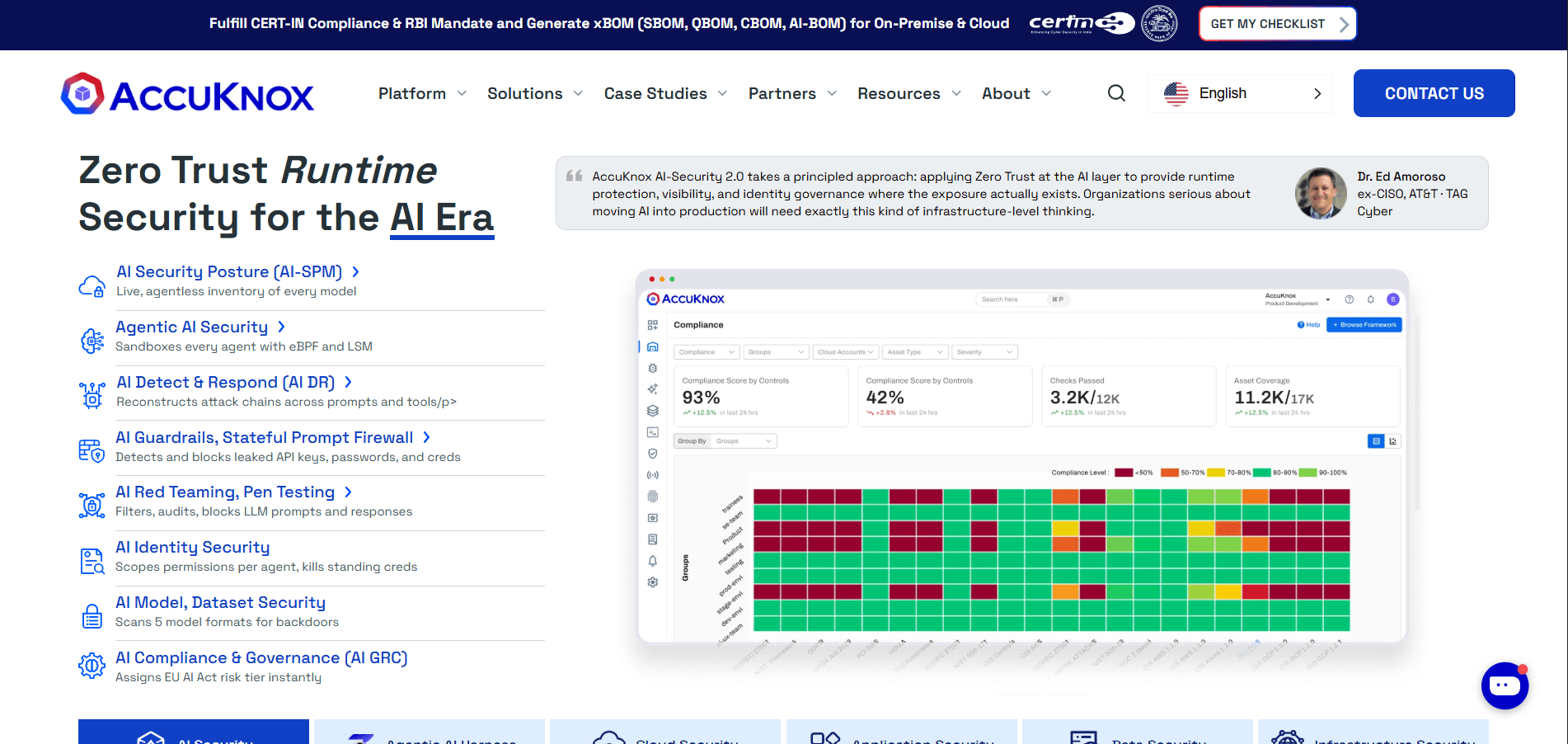
AccuKnox focuses on runtime security for cloud-native environments, including containers, Kubernetes, and multi-cloud workloads. Its approach is built around workload visibility, Zero Trust runtime policies, and least-privilege enforcement, making it more relevant to infrastructure and cloud runtime protection than to mobile application shielding.
Key strengths:
Cloud-native runtime coverage: AccuKnox monitors Kubernetes clusters, containers, and cloud workloads across live microservices and distributed infrastructure.
Least-privilege enforcement: Zero Trust runtime policies reduce unnecessary permissions and contain the potential impact of compromised workloads.
Workload and API protection: Runtime controls extend across cloud workloads and APIs to protect distributed services across modern application environments.
Multi-cloud visibility: Monitors activity across different cloud and Kubernetes environments without forcing separate security views for each one.
DevSecOps and compliance alignment: CI/CD integrations and reporting connect runtime security with deployment workflows and ongoing compliance requirements.
Deployment and integration fit:
AccuKnox fits Kubernetes, containerized, and multi-cloud environments where protection primarily operates at the workload and infrastructure layer.
Controls integrate with CI/CD and cloud security workflows, allowing runtime enforcement to sit within existing DevSecOps processes.
Where it stands out:
AccuKnox stands out for cloud workload protection rather than in-app mobile RASP. Its value is strongest where the main risk sits in containers, Kubernetes clusters, APIs, and distributed cloud infrastructure.
What to consider:
Determine whether infrastructure-level visibility, application-code context, or both are required, since AccuKnox primarily focuses on cloud workloads.
Users note that the solution can be cost prohibitive, making deployment scale an important pricing consideration.
4. PreEmptive
PreEmptive offers a portfolio of application protection tools rather than a single RASP product. The right option depends on the language and platform being protected, with DashO focused on Java, Kotlin, and Android, Dotfuscator on .NET environments, and JSDefender on client-side JavaScript.
Key strengths:
Protection matched to the application stack: PreEmptive offers separate tools for Java, .NET, Android, and JavaScript. Each product is built around the needs of that ecosystem.
Stronger resistance to reverse engineering: Code hardening and obfuscation make sensitive logic and intellectual property harder to inspect, extract, or reuse.
Tamper and debugging protection: Anti-tamper and anti-debugging controls make protected applications harder to modify or inspect during execution.
Runtime integrity checks: Root, emulator, string, and integrity protections add another layer of defense against manipulation after deployment.
Build-friendly application security: Protection can be applied during build or post-build workflows, keeping code protection closer to the release process.
Deployment and integration fit:
Deployment varies by product and may involve build-time or post-build transformation, making release-pipeline compatibility an important consideration.
The portfolio fits environments where protection requirements align clearly with a supported language, platform, and application delivery process.
Where it stands out:
PreEmptive stands out for its language-specific approach to application protection. Instead of treating RASP as one generic runtime layer, it gives teams different protection options for Java, .NET, Android, and JavaScript environments.
What to consider:
Code hardening alone does not provide complete runtime protection, so device, network, and active enforcement coverage should be evaluated separately.
Reviewer feedback notes that advanced configuration documentation could be more comprehensive, potentially adding effort for deeper implementations.
5. App and API Protection
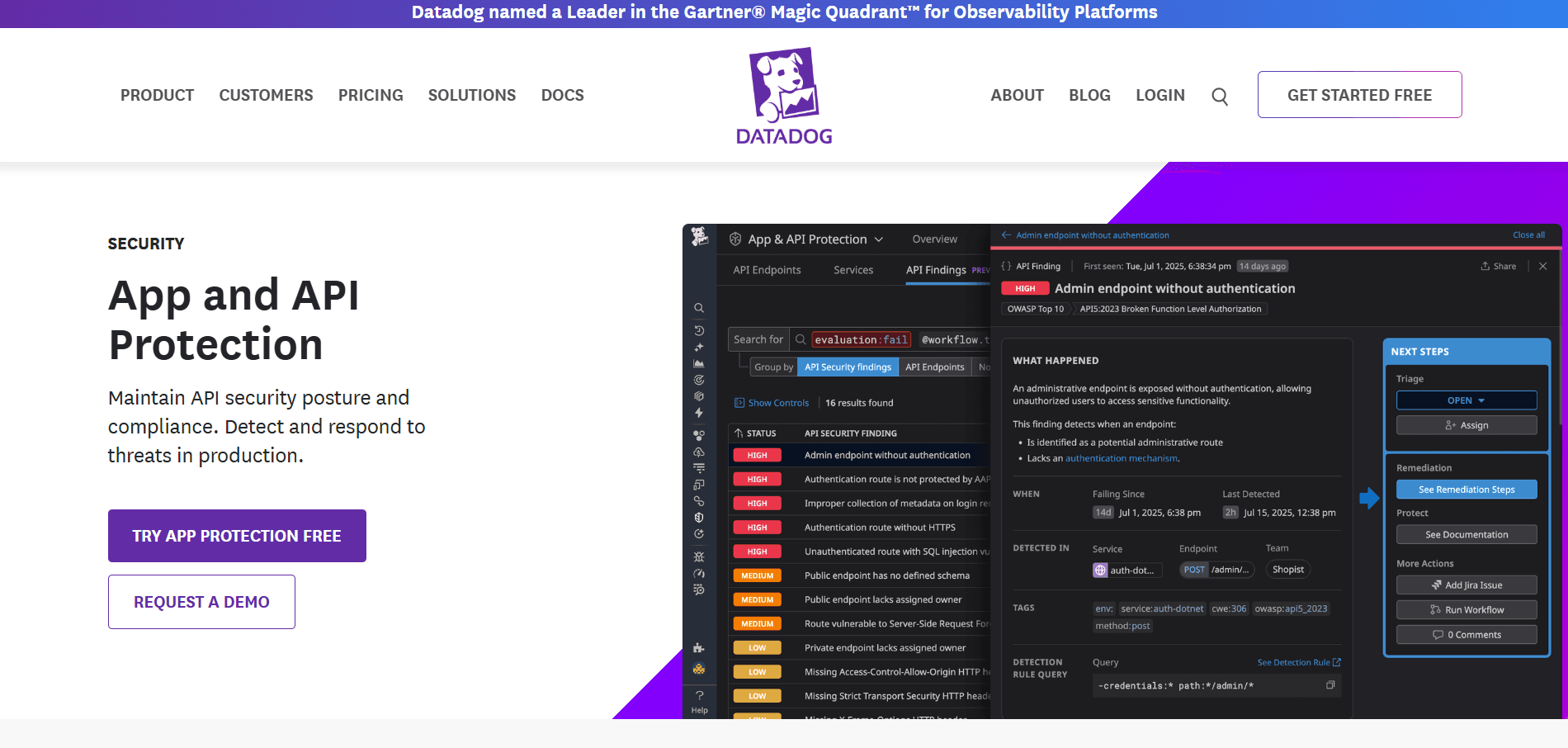
Datadog’s App and API Protection (formerly Application Security Management) integrates runtime application security with Datadog’s broader observability environment. It is designed to connect security events with APM, service telemetry, logs, and application context, which can help teams investigate attacks without separating security data from the systems already used to monitor application performance.
Key strengths:
Runtime security with application context: Security events appear alongside application behavior and service telemetry, helping teams pinpoint where suspicious activity occurred.
Application and API visibility: Monitoring spans supported applications and APIs, giving security teams a shared runtime view across distributed services.
APM-linked investigation: Attack signals connect with traces, services, and performance data, making it easier to assess impact on behavior or availability.
Risk-based vulnerability prioritization: Runtime context highlights vulnerabilities tied to real exposure or attack activity, helping teams focus remediation on production risk.
Centralized investigation workflows: Dashboards, alerts, and correlated telemetry bring security and operations data together, reducing tool switching during investigations.
Deployment and integration fit:
App and API Protection fits organizations already using Datadog for APM, logs, infrastructure monitoring, or cloud observability.
Teams should confirm supported runtimes and distinguish active blocking capabilities from features focused on detection, investigation, or vulnerability context.
Where it stands out:
Datadog stands out in environments where runtime security and observability need to work together. Its value comes from connecting attack activity with application performance, service dependencies, traces, and operational telemetry in one investigation workflow.
What to consider:
Buyers should assess runtime coverage, blocking capabilities, licensing, and data-ingestion requirements before adding security telemetry to an existing Datadog deployment.
Customers highlighted the rising costs as hosts, logs, and services scale, alongside added effort for log and alert management.
6. Dynatrace Application Security
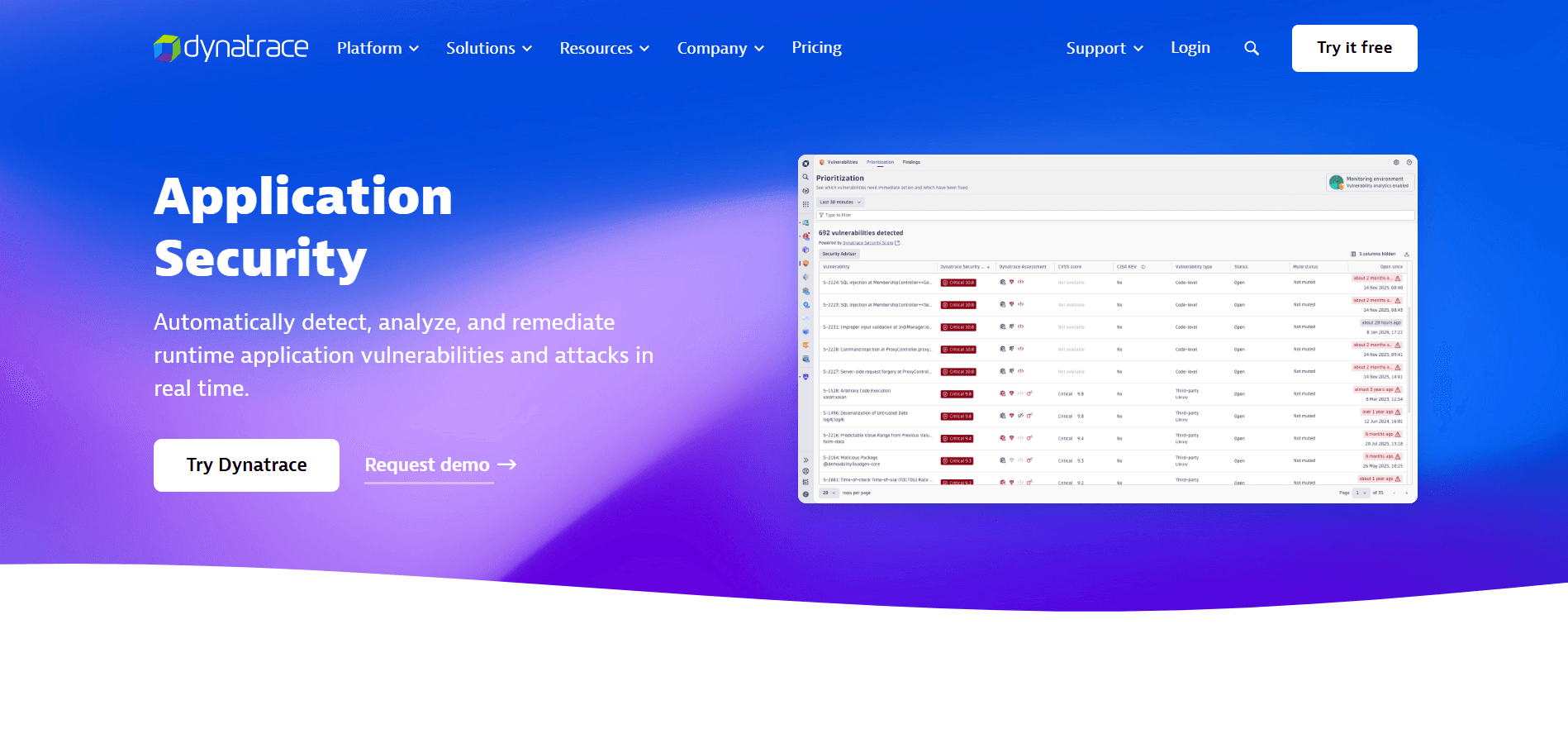
Dynatrace Application Security connects runtime security with full-stack observability and application context. It is designed for enterprises that already rely on Dynatrace for application performance and service monitoring, allowing security teams to assess vulnerabilities, attacks, and affected services within the same operational environment.
Key strengths:
Production-focused vulnerability prioritization: Uses runtime context to show which vulnerabilities are actually exposed, making remediation priorities more relevant to live application risk.
Active exploit protection: Detects attacks in supported environments and applies runtime blocking before malicious activity can progress further.
Topology-aware security context: Connects findings with services and dependencies to show how an attack could affect connected application components.
Risk-based remediation: Combines runtime and application context to surface higher-impact vulnerabilities instead of treating every finding with equal urgency.
Observability-led investigation: Correlates security events with performance and cloud telemetry so incidents can be traced within the same operational environment.
Deployment and integration fit:
Dynatrace Application Security fits organizations already using Dynatrace for observability, APM, or cloud monitoring.
Teams should confirm runtime support for vulnerability detection, active attack detection, and blocking, since coverage varies by environment.
Where it stands out:
Dynatrace stands out when application security needs to be tied closely to service topology and operational telemetry. That context can help teams understand not only that a threat exists, but where it sits in the application and which services may be affected.
What to consider:
Buyers should distinguish vulnerability prioritization from active blocking and confirm available protection capabilities for their specific runtimes.
One review raises concerns about pricing and the learning curve, alongside documentation gaps for some frameworks.
7. Appdome
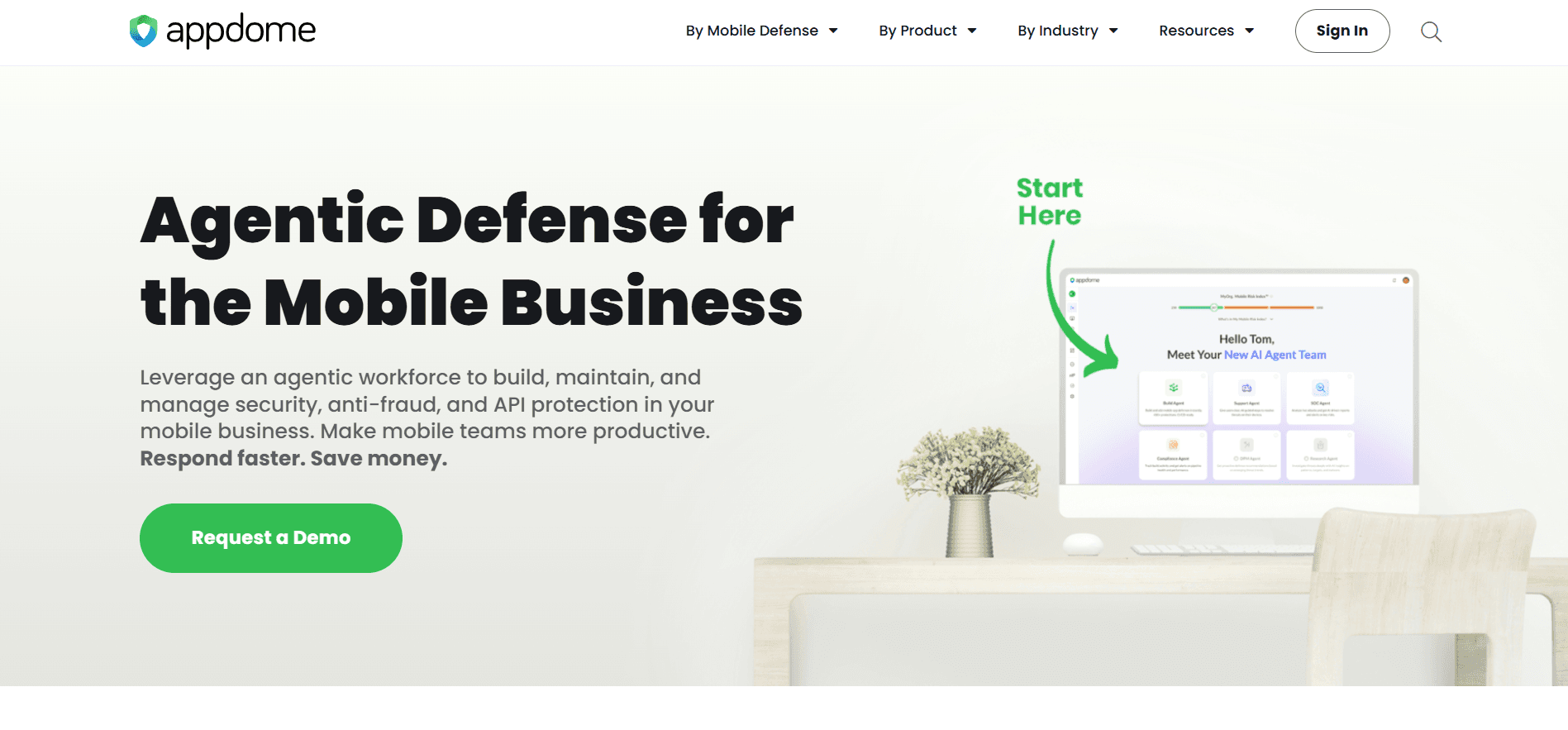
Appdome is a mobile application defense platform that adds security protections to Android and iOS apps through an automated application-shielding approach. It is designed for teams that need to protect mobile binaries against tampering, reverse engineering, compromised devices, malicious runtime environments, and network threats without developing each defense directly into the app.
Key strengths:
Stronger protection against app tampering: Anti-tampering, anti-debugging, and reverse-engineering defenses make mobile binaries harder to inspect, modify, or repackage.
Safer execution on risky devices: Root, jailbreak, and emulator checks identify compromised environments that could be used to manipulate application behavior.
Post-installation malware protection: Runtime defenses extend security beyond development controls by detecting malicious tools and techniques that target the app after release.
Protected mobile communications: Network and certificate controls reduce exposure to interception and manipulation between the application and backend services.
Lower engineering overhead: Automated application-defense workflows add multiple protections without requiring development teams to build and maintain each control separately.
Deployment and integration fit:
Appdome fits Android and iOS release workflows, where framework, SDK, signing, and build-pipeline compatibility require validation.
Its mobile focus suits application and device runtime threats, while teams requiring server-side RASP should evaluate that layer separately.
Where it stands out:
Appdome stands out for the breadth of mobile application defenses that can be added through an automated workflow. This makes it useful for teams that want app shielding, device and runtime checks, and network protections without implementing each control manually.
What to consider:
Teams should test application size, performance, signing, third-party SDK behavior, and release workflows before moving protected builds into production.
A user describes added iOS integration and threat-testing complexity, including an entitlements-file requirement during the reviewed implementation.
8. Imperva RASP
Imperva RASP is an in-process runtime protection product for web and server-side applications, designed to detect and block attacks from inside the application environment. It remains relevant for organizations with existing deployments, particularly those using it alongside Imperva WAF, but its announced product lifecycle means it should be evaluated primarily for ongoing support, migration, or replacement rather than as a new RASP purchase.
Key strengths:
Protection closer to sensitive operations: In-process monitoring observes suspicious activity during execution, allowing attacks to be stopped inside supported application environments.
Coverage for common application-layer threats: Protects against OWASP-related attacks, injection attempts, known vulnerabilities, and some zero-day exploit behavior during runtime.
Active runtime enforcement: Suspicious behavior can be blocked while the application is running instead of relying on detection alone.
Layered protection with WAF: Combines perimeter traffic inspection with in-application runtime controls across existing Imperva deployments.
Clearer attack context: Runtime events show how malicious activity interacts with protected applications, supporting investigation and response for installed environments.
Deployment and integration fit:
Imperva RASP uses application-level runtime components for supported server environments and is primarily relevant to organizations with existing deployments.
Existing customers should assess RASP alongside WAF and other application-security controls when planning continued operation or migration.
Where it stands out:
Imperva RASP is included here because it represents the established in-process RASP model and remains relevant to installed customers. Its value in 2026 is primarily in understanding and managing existing deployments rather than evaluating it on equal terms with products being actively considered for new implementations.
What to consider:
Imperva lists March 31, 2028 as RASP’s end-of-support date, so existing customers should plan migration around applicable lifecycle milestones.
Customer feedback has noted that the interface can be complex and require significant time to learn.
How to Choose the Right RASP Solution
Choosing the right RASP solution starts with the runtime and attack surface that need protection, rather than selecting a vendor first. A strong fit should match the application environment, relevant threats, deployment constraints, performance requirements, and existing security stack.
CERT-EU’s 2025 Threat Landscape Report found that 198 software products used by Union entities were targeted during the year, highlighting how widely software exposure can vary across application environments. RASP selection should therefore start with the specific runtime, attack surface, and protection requirements involved rather than a generic feature checklist.
Use these factors to narrow the options before moving into proof-of-concept testing:
Priority | What to evaluate | Solutions to consider |
Mobile runtime protection | App tampering, rooting, hooking, emulators, cloning, overlays, and network threats | Bureau, Appdome |
Server-side runtime protection | In-process visibility, application attacks, supported languages, and active blocking | Contrast Protect, Imperva RASP |
Cloud-native workloads | Kubernetes, containers, workload policies, APIs, and multi-cloud visibility | AccuKnox |
Code and IP protection | Obfuscation, anti-tampering, anti-debugging, runtime integrity, and language support | PreEmptive |
Security plus observability | Runtime context, application telemetry, service dependencies, and investigation workflows | App and API Protection, Dynatrace Application Security |
Fraud-linked mobile threats | Device integrity, location manipulation, compromised sessions, runtime attacks, and policy-based enforcement | Bureau |
Deployment and operational fit | Integration effort, performance impact, policy controls, alerting, and security-stack compatibility | Evaluate across all shortlisted solutions |
A proof of concept should validate both protection and operational fit. The selected RASP solution should address relevant runtime threats without creating unacceptable performance or application impact.
Related Read: Session Hijacking Prevention: Detection & Controls
Make Runtime Protection Part of Application Security Stack
RASP should fill the runtime gaps left by existing application security controls, detecting and responding to threats as they emerge during execution.
For mobile-first businesses, those threats can span the account, application, device, session, and network. Protection needs to connect signals across these layers so teams can identify manipulation, compromised environments, and coordinated attack patterns with better context.
Bureau connects protection across these layers. Its RASP capabilities detect application and runtime threats such as rooting, hooking, emulators, tampering, overlays, and network manipulation. These signals can then be combined with device, identity, behavioral, and transaction context to support more informed risk decisions.
Schedule a demo to see how Bureau can protect application execution, device integrity, and network channels at runtime.
FAQs
1. What is a RASP security tool?
A RASP (Runtime Application Self-Protection) security tool is integrated into or attached to a running application. It monitors the application from within its runtime environment, analyzes requests and execution behavior, and can detect or block malicious activity using application context that external security controls may not see.
2. How do RASP tools work?
RASP tools observe activity as the application executes and analyze its runtime context for suspicious behavior. Security policies then determine the response. Depending on the detected risk, the tool can monitor the event, issue a warning, restrict functionality, or block the action.
3. What is the difference between RASP and WAF?
A WAF(Web Application Firewall) inspects incoming web traffic before requests reach the application. RASP operates within or around the running application, giving it visibility into how requests interact with code, data, and sensitive operations before deciding whether an action should continue.
4. What is the difference between RASP, SAST, and DAST?
SAST (Static Application Security Testing) analyzes application code for vulnerabilities, while DAST(Dynamic Application Security Testing) tests running applications from the outside. RASP (Runtime Application Self-Protection) provides protection during execution. Mobile-focused solutions such as Bureau can extend that runtime protection across application integrity, device environments, network conditions, and active threats.
5. Can RASP tools stop zero-day exploits?
RASP (Runtime Application Self-Protection) tools may stop some zero-day exploits by identifying dangerous runtime behavior rather than relying only on known attack signatures. Effectiveness depends on the tool’s visibility, supported runtime, threat coverage, configured policies, and ability to recognize and block the exploit behavior.
6. What is RASP testing?
RASP (Runtime Application Self-Protection) testing validates how runtime protection performs before broader enforcement. Teams typically test threat detection, monitoring, blocking, false positives, application compatibility, and performance impact in controlled conditions. RASP itself is a protection technology rather than a conventional application-testing category.
Attackers can exploit applications after deployment through code injection, tampering, compromised devices, session abuse, and manipulated network conditions. RASP tools give security teams visibility into these threats while the application is executing and can enforce controls before the activity causes damage.
With NIST reporting a 263% increase in CVE submissions between 2020 and 2025; security teams have far more vulnerabilities to prioritize and patch. RASP helps cover the resulting exposure during execution, including flaws awaiting remediation.
This comparison reviews the best RASP tools based on runtime coverage, deployment model, threat protection, response options, and application environment.
What Is a RASP Tool and How Does It Work?
RASP (Runtime Application Self-Protection) tools protect applications during execution by monitoring runtime behavior from within or around the application. They detect suspicious activity in context and can block exploits such as SQL injection, XSS, code injection, or runtime manipulation before the action completes.
RASP complements controls such as SAST (Static Application Security Testing), DAST (Dynamic Application Security Testing), and WAFs (Web Application Firewalls) by adding protection while the application is actively running.
Here is how RASP works once activity reaches a running application:
Activity enters the application: A request, API call, user action, or runtime change triggers application logic.
RASP observes what happens during execution: It tracks code paths, resource access, and changes to the application or runtime environment. For example, it may detect suspicious input reaching a database query or a rooted device.
The tool evaluates the risk in context: It looks for runtime manipulation, compromised environments, and session anomalies rather than relying on the original request alone.
A policy response is triggered: Based on the risk, RASP can monitor, warn, restrict, or block the activity. That could mean stopping a malicious database operation or blocking a compromised mobile session.
The event is recorded: Relevant runtime and session context is logged so security teams can see what triggered the response.
Simply put, RASP works by following activity as it moves through the running application, then deciding whether that activity should be allowed to continue.
The advantage of RASP is context, because it can see when an action becomes risky during execution and respond before it causes damage. The right tool depends on where that runtime risk exists within the application.
Top 8 RASP Security Tools Compared at a Glance
RASP security tools take different approaches to runtime protection. Some instrument server-side applications, while others focus on mobile app shielding, cloud-native controls, code protection, or security integrated with observability.
The biggest differences are where each tool operates, how protection is deployed, and the types of applications it is designed to secure.
Tool | Primary environment | Protection approach | Deployment model | Best fit |
Bureau | Android and iOS applications | App, device, runtime, and network protection | Protected mobile app binary with runtime policy controls | Mobile-first fintech, financial services, and gaming apps |
Contrast Protect | Server-side application runtimes | In-process runtime instrumentation | Application instrumentation within supported runtimes | Enterprise applications and APIs |
AccuKnox | Containers, Kubernetes, and multi-cloud workloads | Runtime controls and Zero Trust policies | Cloud-native agents and workload-level controls | Kubernetes and cloud-native environments |
PreEmptive | Desktop, web, server, and mobile codebases | Code hardening plus runtime checks | Build-time or post-build code transformation | Teams protecting .NET, Java, JavaScript, and Android code |
App and API Protection | Cloud and server-side applications | Runtime application security with observability context | Integrated with Datadog application monitoring and runtime instrumentation | Teams already using Datadog observability |
Dynatrace Application Security | Enterprise and cloud applications | Runtime protection with application context | Integrated with Dynatrace monitoring and application instrumentation | Existing Dynatrace customers |
Appdome | Android and iOS applications | Automated mobile app defense and shielding | Post-build mobile app protection | Mobile development and security teams |
Imperva RASP | Web and server applications | In-process application protection | Runtime agent or application integration | Existing Imperva RASP deployments |
The main takeaway is that RASP products are not interchangeable. A strong fit starts with the runtime being protected and the threats that can occur inside that environment.
Related Read: How to Choose the Right Fraud Prevention Software for E-Commerce Teams
How the Top RASP Tools Were Evaluated
The tools were evaluated based on where they provide runtime protection, the threats they address, how they respond, and the effort required to deploy them.
Verizon’s 2026 DBIR found that exploiting vulnerabilities accounted for 31% of breaches, overtaking credential abuse as the leading initial access vector for the first time in the report’s history. This makes it important to assess what happens when an exploit reaches a running application, including whether a tool can detect the activity in context and block or restrict it.
The evaluation focused on:
Runtime and application coverage: What environments the tool can observe and protect, including web, server, API, mobile, container, desktop, device, and operating system contexts.
Threat and response capability: Which threats the tool can detect and whether it can monitor, warn, restrict, terminate, or block suspicious activity.
Deployment model: How protection is added through agents, SDKs, instrumentation, application wrapping, binary transformation, or cloud-native controls.
Language and framework support: Which runtimes, programming languages, frameworks, and platforms the tool supports.
Performance and implementation effort: The runtime overhead, code or build changes, engineering involvement, and ongoing tuning required.
Policy control and integrations: Whether teams can test policies before blocking, define responses by risk level, and connect the tool with SIEM, observability, DevSecOps, and incident-response workflows.
These criteria make it easier to compare runtime application self-protection tools without treating every RASP security vendor as if it solves the same problem.
8 Best RASP Tools and Solutions to Know in 2026
The tools in this list are ordered by protection approach and use-case fit rather than overall quality. That distinction matters because mobile RASP, server-side instrumentation, cloud-native runtime controls, and code-protection tools address different attack surfaces.
1. Bureau
Bureau provides mobile runtime protection for applications exposed to threats inside the app, device, session, or network environment. Its RASP capability is designed to detect and respond to risks that may not be visible to backend controls in time.
Bureau’s RASP applies runtime protection across application integrity, device trust, network state, and policy enforcement. This helps mobile teams detect and respond to device, app, session, network, and location-based threats while the application is running.
Key strengths:
Broader mobile runtime protection: Covers application integrity, device state, network conditions, and runtime threats instead of stopping at code obfuscation.
Device-aware threat detection: Identifies rooted devices, emulators, app cloning, and hooking frameworks, with device intelligence adding context around suspicious environments.
Network and location protection: Detects MITM attempts, proxy manipulation, VPN masking, and location spoofing before they affect sensitive mobile actions.
OS-level visibility: Uses operating-system signals to surface overlays, gesture abuse, virtualized environments, and runtime manipulation that application-level checks may miss.
Flexible enforcement controls: Teams can monitor, warn, or block threats by type and adjust policies through the dashboard without changing application code.
Deployment and integration fit:
Bureau RASP is designed for Android and iOS applications and extends protection into the running app across device, runtime, and network conditions.
Runtime signals and policy decisions can feed authentication, transaction controls, fraud operations, and Bureau’s broader risk decisioning stack.
Where it stands out:
Bureau’s approach combines application integrity checks with runtime, device, network, and response controls. It is especially useful for mobile apps facing emulators, app cloning, hooking, overlays, location spoofing, or compromised sessions.
What to consider:
Bureau is primarily positioned for mobile runtime protection, so teams looking for server-side Java or .NET instrumentation should compare platform coverage carefully.
Compatibility, policy behavior, and performance should be validated in the buyer’s own application environment before production rollout.
2. Contrast Protect
Contrast Protect is a server-side RASP solution that uses in-process instrumentation to observe application behavior during execution and block malicious activity with runtime context. It is designed for supported enterprise application stacks and APIs, with Contrast’s broader ADR direction extending runtime protection into SOC telemetry, investigation, and incident-response workflows.
Key strengths:
In-process runtime visibility: Contrast observes how suspicious input interacts with application code and sensitive functions, providing deeper context than perimeter-level traffic inspection.
Active protection against common exploits: Detects and blocks SQL injection, XSS, command injection, and related exploit activity while the application is still executing.
Application and API context: Links attack activity to relevant code paths, application behavior, and affected operations for more precise triage and investigation.
SOC workflow integration: Runtime findings can feed SIEM and security workflows, keeping application attack context connected to broader security operations.
Broader detection and response with ADR: Contrast ADR adds telemetry, investigation context, and incident-response workflows beyond runtime blocking alone.
Deployment and integration fit:
Contrast Protect instruments supported server-side runtimes, making language, framework, and deployment compatibility important before rollout.
Runtime findings can feed SIEM and SOC workflows, bringing application attack context into existing security operations.
Where it stands out:
Contrast Protect stands out for its ability to observe attacks from inside supported application runtimes. That application context can help teams understand whether suspicious input actually reaches a vulnerable operation and take action before the exploit completes.
What to consider:
Confirm current language and framework support, then test runtime overhead using production-representative workloads.
Customer feedback has noted that some attack types may fall outside Contrast Assess or Protect coverage, making threat-model validation important.
3. AccuKnox
AccuKnox focuses on runtime security for cloud-native environments, including containers, Kubernetes, and multi-cloud workloads. Its approach is built around workload visibility, Zero Trust runtime policies, and least-privilege enforcement, making it more relevant to infrastructure and cloud runtime protection than to mobile application shielding.
Key strengths:
Cloud-native runtime coverage: AccuKnox monitors Kubernetes clusters, containers, and cloud workloads across live microservices and distributed infrastructure.
Least-privilege enforcement: Zero Trust runtime policies reduce unnecessary permissions and contain the potential impact of compromised workloads.
Workload and API protection: Runtime controls extend across cloud workloads and APIs to protect distributed services across modern application environments.
Multi-cloud visibility: Monitors activity across different cloud and Kubernetes environments without forcing separate security views for each one.
DevSecOps and compliance alignment: CI/CD integrations and reporting connect runtime security with deployment workflows and ongoing compliance requirements.
Deployment and integration fit:
AccuKnox fits Kubernetes, containerized, and multi-cloud environments where protection primarily operates at the workload and infrastructure layer.
Controls integrate with CI/CD and cloud security workflows, allowing runtime enforcement to sit within existing DevSecOps processes.
Where it stands out:
AccuKnox stands out for cloud workload protection rather than in-app mobile RASP. Its value is strongest where the main risk sits in containers, Kubernetes clusters, APIs, and distributed cloud infrastructure.
What to consider:
Determine whether infrastructure-level visibility, application-code context, or both are required, since AccuKnox primarily focuses on cloud workloads.
Users note that the solution can be cost prohibitive, making deployment scale an important pricing consideration.
4. PreEmptive
PreEmptive offers a portfolio of application protection tools rather than a single RASP product. The right option depends on the language and platform being protected, with DashO focused on Java, Kotlin, and Android, Dotfuscator on .NET environments, and JSDefender on client-side JavaScript.
Key strengths:
Protection matched to the application stack: PreEmptive offers separate tools for Java, .NET, Android, and JavaScript. Each product is built around the needs of that ecosystem.
Stronger resistance to reverse engineering: Code hardening and obfuscation make sensitive logic and intellectual property harder to inspect, extract, or reuse.
Tamper and debugging protection: Anti-tamper and anti-debugging controls make protected applications harder to modify or inspect during execution.
Runtime integrity checks: Root, emulator, string, and integrity protections add another layer of defense against manipulation after deployment.
Build-friendly application security: Protection can be applied during build or post-build workflows, keeping code protection closer to the release process.
Deployment and integration fit:
Deployment varies by product and may involve build-time or post-build transformation, making release-pipeline compatibility an important consideration.
The portfolio fits environments where protection requirements align clearly with a supported language, platform, and application delivery process.
Where it stands out:
PreEmptive stands out for its language-specific approach to application protection. Instead of treating RASP as one generic runtime layer, it gives teams different protection options for Java, .NET, Android, and JavaScript environments.
What to consider:
Code hardening alone does not provide complete runtime protection, so device, network, and active enforcement coverage should be evaluated separately.
Reviewer feedback notes that advanced configuration documentation could be more comprehensive, potentially adding effort for deeper implementations.
5. App and API Protection
Datadog’s App and API Protection (formerly Application Security Management) integrates runtime application security with Datadog’s broader observability environment. It is designed to connect security events with APM, service telemetry, logs, and application context, which can help teams investigate attacks without separating security data from the systems already used to monitor application performance.
Key strengths:
Runtime security with application context: Security events appear alongside application behavior and service telemetry, helping teams pinpoint where suspicious activity occurred.
Application and API visibility: Monitoring spans supported applications and APIs, giving security teams a shared runtime view across distributed services.
APM-linked investigation: Attack signals connect with traces, services, and performance data, making it easier to assess impact on behavior or availability.
Risk-based vulnerability prioritization: Runtime context highlights vulnerabilities tied to real exposure or attack activity, helping teams focus remediation on production risk.
Centralized investigation workflows: Dashboards, alerts, and correlated telemetry bring security and operations data together, reducing tool switching during investigations.
Deployment and integration fit:
App and API Protection fits organizations already using Datadog for APM, logs, infrastructure monitoring, or cloud observability.
Teams should confirm supported runtimes and distinguish active blocking capabilities from features focused on detection, investigation, or vulnerability context.
Where it stands out:
Datadog stands out in environments where runtime security and observability need to work together. Its value comes from connecting attack activity with application performance, service dependencies, traces, and operational telemetry in one investigation workflow.
What to consider:
Buyers should assess runtime coverage, blocking capabilities, licensing, and data-ingestion requirements before adding security telemetry to an existing Datadog deployment.
Customers highlighted the rising costs as hosts, logs, and services scale, alongside added effort for log and alert management.
6. Dynatrace Application Security
Dynatrace Application Security connects runtime security with full-stack observability and application context. It is designed for enterprises that already rely on Dynatrace for application performance and service monitoring, allowing security teams to assess vulnerabilities, attacks, and affected services within the same operational environment.
Key strengths:
Production-focused vulnerability prioritization: Uses runtime context to show which vulnerabilities are actually exposed, making remediation priorities more relevant to live application risk.
Active exploit protection: Detects attacks in supported environments and applies runtime blocking before malicious activity can progress further.
Topology-aware security context: Connects findings with services and dependencies to show how an attack could affect connected application components.
Risk-based remediation: Combines runtime and application context to surface higher-impact vulnerabilities instead of treating every finding with equal urgency.
Observability-led investigation: Correlates security events with performance and cloud telemetry so incidents can be traced within the same operational environment.
Deployment and integration fit:
Dynatrace Application Security fits organizations already using Dynatrace for observability, APM, or cloud monitoring.
Teams should confirm runtime support for vulnerability detection, active attack detection, and blocking, since coverage varies by environment.
Where it stands out:
Dynatrace stands out when application security needs to be tied closely to service topology and operational telemetry. That context can help teams understand not only that a threat exists, but where it sits in the application and which services may be affected.
What to consider:
Buyers should distinguish vulnerability prioritization from active blocking and confirm available protection capabilities for their specific runtimes.
One review raises concerns about pricing and the learning curve, alongside documentation gaps for some frameworks.
7. Appdome
Appdome is a mobile application defense platform that adds security protections to Android and iOS apps through an automated application-shielding approach. It is designed for teams that need to protect mobile binaries against tampering, reverse engineering, compromised devices, malicious runtime environments, and network threats without developing each defense directly into the app.
Key strengths:
Stronger protection against app tampering: Anti-tampering, anti-debugging, and reverse-engineering defenses make mobile binaries harder to inspect, modify, or repackage.
Safer execution on risky devices: Root, jailbreak, and emulator checks identify compromised environments that could be used to manipulate application behavior.
Post-installation malware protection: Runtime defenses extend security beyond development controls by detecting malicious tools and techniques that target the app after release.
Protected mobile communications: Network and certificate controls reduce exposure to interception and manipulation between the application and backend services.
Lower engineering overhead: Automated application-defense workflows add multiple protections without requiring development teams to build and maintain each control separately.
Deployment and integration fit:
Appdome fits Android and iOS release workflows, where framework, SDK, signing, and build-pipeline compatibility require validation.
Its mobile focus suits application and device runtime threats, while teams requiring server-side RASP should evaluate that layer separately.
Where it stands out:
Appdome stands out for the breadth of mobile application defenses that can be added through an automated workflow. This makes it useful for teams that want app shielding, device and runtime checks, and network protections without implementing each control manually.
What to consider:
Teams should test application size, performance, signing, third-party SDK behavior, and release workflows before moving protected builds into production.
A user describes added iOS integration and threat-testing complexity, including an entitlements-file requirement during the reviewed implementation.
8. Imperva RASP
Imperva RASP is an in-process runtime protection product for web and server-side applications, designed to detect and block attacks from inside the application environment. It remains relevant for organizations with existing deployments, particularly those using it alongside Imperva WAF, but its announced product lifecycle means it should be evaluated primarily for ongoing support, migration, or replacement rather than as a new RASP purchase.
Key strengths:
Protection closer to sensitive operations: In-process monitoring observes suspicious activity during execution, allowing attacks to be stopped inside supported application environments.
Coverage for common application-layer threats: Protects against OWASP-related attacks, injection attempts, known vulnerabilities, and some zero-day exploit behavior during runtime.
Active runtime enforcement: Suspicious behavior can be blocked while the application is running instead of relying on detection alone.
Layered protection with WAF: Combines perimeter traffic inspection with in-application runtime controls across existing Imperva deployments.
Clearer attack context: Runtime events show how malicious activity interacts with protected applications, supporting investigation and response for installed environments.
Deployment and integration fit:
Imperva RASP uses application-level runtime components for supported server environments and is primarily relevant to organizations with existing deployments.
Existing customers should assess RASP alongside WAF and other application-security controls when planning continued operation or migration.
Where it stands out:
Imperva RASP is included here because it represents the established in-process RASP model and remains relevant to installed customers. Its value in 2026 is primarily in understanding and managing existing deployments rather than evaluating it on equal terms with products being actively considered for new implementations.
What to consider:
Imperva lists March 31, 2028 as RASP’s end-of-support date, so existing customers should plan migration around applicable lifecycle milestones.
Customer feedback has noted that the interface can be complex and require significant time to learn.
How to Choose the Right RASP Solution
Choosing the right RASP solution starts with the runtime and attack surface that need protection, rather than selecting a vendor first. A strong fit should match the application environment, relevant threats, deployment constraints, performance requirements, and existing security stack.
CERT-EU’s 2025 Threat Landscape Report found that 198 software products used by Union entities were targeted during the year, highlighting how widely software exposure can vary across application environments. RASP selection should therefore start with the specific runtime, attack surface, and protection requirements involved rather than a generic feature checklist.
Use these factors to narrow the options before moving into proof-of-concept testing:
Priority | What to evaluate | Solutions to consider |
Mobile runtime protection | App tampering, rooting, hooking, emulators, cloning, overlays, and network threats | Bureau, Appdome |
Server-side runtime protection | In-process visibility, application attacks, supported languages, and active blocking | Contrast Protect, Imperva RASP |
Cloud-native workloads | Kubernetes, containers, workload policies, APIs, and multi-cloud visibility | AccuKnox |
Code and IP protection | Obfuscation, anti-tampering, anti-debugging, runtime integrity, and language support | PreEmptive |
Security plus observability | Runtime context, application telemetry, service dependencies, and investigation workflows | App and API Protection, Dynatrace Application Security |
Fraud-linked mobile threats | Device integrity, location manipulation, compromised sessions, runtime attacks, and policy-based enforcement | Bureau |
Deployment and operational fit | Integration effort, performance impact, policy controls, alerting, and security-stack compatibility | Evaluate across all shortlisted solutions |
A proof of concept should validate both protection and operational fit. The selected RASP solution should address relevant runtime threats without creating unacceptable performance or application impact.
Related Read: Session Hijacking Prevention: Detection & Controls
Make Runtime Protection Part of Application Security Stack
RASP should fill the runtime gaps left by existing application security controls, detecting and responding to threats as they emerge during execution.
For mobile-first businesses, those threats can span the account, application, device, session, and network. Protection needs to connect signals across these layers so teams can identify manipulation, compromised environments, and coordinated attack patterns with better context.
Bureau connects protection across these layers. Its RASP capabilities detect application and runtime threats such as rooting, hooking, emulators, tampering, overlays, and network manipulation. These signals can then be combined with device, identity, behavioral, and transaction context to support more informed risk decisions.
Schedule a demo to see how Bureau can protect application execution, device integrity, and network channels at runtime.
FAQs
1. What is a RASP security tool?
A RASP (Runtime Application Self-Protection) security tool is integrated into or attached to a running application. It monitors the application from within its runtime environment, analyzes requests and execution behavior, and can detect or block malicious activity using application context that external security controls may not see.
2. How do RASP tools work?
RASP tools observe activity as the application executes and analyze its runtime context for suspicious behavior. Security policies then determine the response. Depending on the detected risk, the tool can monitor the event, issue a warning, restrict functionality, or block the action.
3. What is the difference between RASP and WAF?
A WAF(Web Application Firewall) inspects incoming web traffic before requests reach the application. RASP operates within or around the running application, giving it visibility into how requests interact with code, data, and sensitive operations before deciding whether an action should continue.
4. What is the difference between RASP, SAST, and DAST?
SAST (Static Application Security Testing) analyzes application code for vulnerabilities, while DAST(Dynamic Application Security Testing) tests running applications from the outside. RASP (Runtime Application Self-Protection) provides protection during execution. Mobile-focused solutions such as Bureau can extend that runtime protection across application integrity, device environments, network conditions, and active threats.
5. Can RASP tools stop zero-day exploits?
RASP (Runtime Application Self-Protection) tools may stop some zero-day exploits by identifying dangerous runtime behavior rather than relying only on known attack signatures. Effectiveness depends on the tool’s visibility, supported runtime, threat coverage, configured policies, and ability to recognize and block the exploit behavior.
6. What is RASP testing?
RASP (Runtime Application Self-Protection) testing validates how runtime protection performs before broader enforcement. Teams typically test threat detection, monitoring, blocking, false positives, application compatibility, and performance impact in controlled conditions. RASP itself is a protection technology rather than a conventional application-testing category.
TABLE OF CONTENTS
See More
Recommended Blogs



Landing Page.
Simple, bold.
Sign Up
Download

Products
Solutions


© 2026 Bureau . All rights reserved.
Solutions
Industries
Resources
Company
Solutions
Industries
Resources
Company
© 2026 Bureau . All rights reserved.
Follow Us
Leave behind fragmented tools. Stop fraud rings, cut false declines, and deliver secure digital journeys at scale
Our Presence








Leave behind fragmented tools. Stop fraud rings, cut false declines, and deliver secure digital journeys at scale
Our Presence
© 2026 Bureau . All rights reserved.